
Sketch Bot
A robot that draws your chat, one face at a time.


About This Game
Sketch Bot is a drawing studio for your TikTok LIVE. A pen-plotter robot sits over a wooden desk, and the faces it draws belong to your viewers: every portrait is the sender's own TikTok profile picture, drawn in blue ink on a sheet of 12 frames. The pen sketches the outlines of the face first, the eyes, the brows, the mouth and the hairline, then shades it in crosshatch passes from light to dark, leaving the highlights as white paper. The first time a viewer comments, it handwrites "Welcome" and their name in the margin, and every follow gets a mini portrait. The big number is PORTRAITS DRAWN.
Nobody has to do anything. Sketch Bot runs itself: the queue, the pens and the sheets keep moving while you talk to chat. Each sheet has a clock, five minutes by default. Fill all 12 frames before it runs out and the sheet is stamped COMPLETE, hung on the studio wall and your streak of full sheets grows; let the clock run out and it is stamped SHORT and the streak starts again. The pens also drink from one ink cartridge. Likes and follows refill it slowly, but a busy studio uses ink faster than free refills arrive, and when it runs dry every pen stops mid-face until the ink comes back. Nothing already drawn is ever lost.
Gifts buy a bigger, fancier portrait and a place nearer the front of the queue: a Colour Portrait across four frames with a second, warm ink, three crowned VIP portraits, a Crest ringed by gold laurel, or a Masterpiece that turns a whole sheet into one giant portrait. A waiting portrait slowly climbs the queue, so nobody waits forever. The more portraits get drawn, the bigger the studio: a second gantry joins the first, a second sheet slides in, and at the top level six machines draw across three sheets at once. The queue, every portrait's draw time, the ink, the sheets and the studio levels are worked out on the ScrollPlay game server.
Features
Your Viewers' Own Faces
Every portrait is the sender's TikTok profile picture, drawn in blue ink: an outline sketch first, then crosshatch shading
Free Play Counts
A comment gets a handwritten welcome, a follow gets a mini portrait, and likes refill the robot's ink
Beat the Sheet Clock
Fill all 12 frames before the clock runs out to hang the sheet on the wall and grow the streak
The Studio Grows
The more portraits get drawn, the more machines join, from one gantry on one sheet to six across three
How to Play
- 1
Open ScrollPlay
Play in a compatible browser on Windows, Mac, iPhone/iPad or Android, or use the Windows desktop launcher.
- 2
Sign In
Create an account or sign in with your existing credentials
- 3
Connect TikTok
Link your TikTok Live stream so comments, likes, follows and gifts reach the game in real time
- 4
Start Drawing
Launch Sketch Bot and the robot starts writing welcomes and drawing portraits as soon as chat joins in
Audience Gift Mapping
Free to play
- Comment
- Welcome — the first time a viewer comments, the robot handwrites "Welcome" and their name in the margin of the sheet when a line is free. Comments add a drop of ink too.
- Likes
- Ink — every like adds a little ink to the cartridge, at a steady rate.
- Follow
- Mini Portrait — a stamp-sized portrait of the new follower, once per follower, plus some ink.
Portraits of the sender
- Rose
- Portrait — the sender's profile picture drawn in blue ink in the next free frame, about 7 seconds at normal pen speed.
- Finger Heart
- Colour Portrait — a big portrait across four frames with a second, warm red-orange ink, queued ahead of Roses.
- Doughnut
- VIP ×3 — three crowned portraits of the sender, drawn in a row.
- Hand Heart
- Crest — a big portrait ringed by gold laurel with a name ribbon.
- Galaxy
- Masterpiece — the next clean sheet becomes one giant two-ink portrait of the sender, drawn slowly. It counts as a full sheet.
- Leon the Kitten
- Hall of Fame — a crest portrait jumps to the very front of the queue, and the sender's face gets a gold plate on the wall for the rest of the stream (the last three are kept).
The studio
- Cap
- Ink Refill — a fresh cartridge slams in and any pen that stopped starts again. Sent early, it banks a double cartridge.
- Corgi
- Turbo Pen — every portrait started in the next 30 seconds is drawn three times faster.
- Money Gun
- Second Gantry — a temporary green machine joins the studio for 2 minutes and draws another portrait at the same time.
These are the default bindings. A gift with no action bound to it does nothing. Every draw time and the ink are owned by the ScrollPlay server. Streamers can rebind any gift in Studio Mode, and in the game's settings set the studio size, the sheet timer, the pen speed, how much free ink likes and follows give, and how long Turbo Pen and the Second Gantry last.
Gameplay: a drawing robot your chat feeds
Sketch Bot is a live drawing studio built for streams. A pen-plotter robot works through a queue of portraits on a sheet of 12 frames, and every portrait is a viewer: their own TikTok profile picture, sketched in outline and then shaded in blue-ink crosshatch while the whole LIVE watches it appear line by line. A picture that cannot be loaded is drawn as the viewer's initial instead, so nobody's turn is skipped.
Two things can go wrong with nobody gifting. The sheet clock can run out with frames still empty, which breaks the streak of full sheets, and the shared ink cartridge can run dry, which stops every pen until likes, follows or an Ink Refill bring it back. That gives chat a reason to keep liking and a gift that visibly saves the moment. Bigger gifts buy bigger work, and the studio itself grows from one machine to six as the portraits pile up.
Built for TikTok Live streamers
Sketch Bot runs itself, so you can leave it running while you talk to chat. The settings let you pick the studio size (Auto follows your viewer count), the sheet timer, the pen speed and how generous the free ink is, and the drawer has optional buttons to skip a portrait, clear the queue, start the next sheet or refill the ink. The game's own text is in the same twelve languages as the ScrollPlay launcher. Studio Mode shows every gift action with its default gift, lets you rebind them and test-fire them on a Test Viewer before you go live, and the same overlay widgets and scenes work as in every other ScrollPlay game.
Sketch Bot — frequently asked questions
Is Sketch Bot free, or do I need a Play Pass?
Sketch Bot is a Play Pass game, so it needs an active subscription on your ScrollPlay account. The launcher itself is a free Windows download, and your viewers are never charged anything: comments, likes and follows are free, and gifts are only what they choose to send.
Do I have to do anything while it runs?
No. Sketch Bot runs itself: it writes welcomes, draws portraits in queue order, rolls finished sheets onto the wall and adds machines as the studio grows. You can skip a portrait, clear the queue, start the next sheet or refill the ink from the settings drawer, but you never have to.
What does a portrait look like?
The robot draws the viewer's TikTok profile picture in blue ink inside a round frame: first the outlines of the face, the eyes, the brows, the mouth and the hairline, then crosshatch shading from light to dark, with the highlights left as white paper. A Colour Portrait adds a second, warm ink, and a picture that cannot be loaded is drawn as the viewer's initial.
What happens when the ink runs out?
Every pen lifts and stops where it is, and nothing already drawn is lost. Likes and follows refill the cartridge slowly, and the pens start again once there is enough ink. An Ink Refill gift (a Cap by default) brings it back at once, and one sent before the ink runs out banks a double cartridge.
What do viewers do without gifts?
Comments, likes and follows all do something. A viewer's first comment gets a handwritten welcome with their name, likes refill the ink, and every follow draws a mini portrait of the new follower. A gift nobody has bound to an action does nothing.
Can I play Sketch Bot in the browser?
Yes. Sketch Bot plays in your browser on the ScrollPlay web launcher with the same account, and in the free ScrollPlay launcher for Windows.
30 games made for TikTok LIVE
 Maze MuncherThe maze chase that plays itself.
 Red Light RushChat races the host. Stop when the light goes red.
 Block PartyEvery comment is a dancer. Every dancer gets rated.
 Jaywalkin'Cross the city. Your chat decides how far you get.
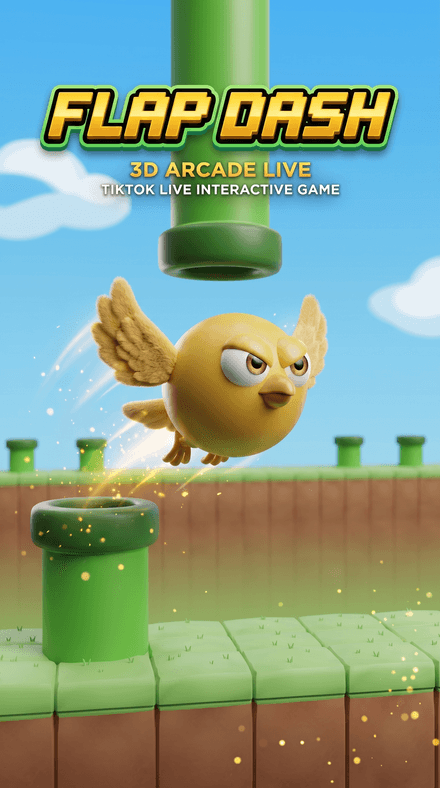 Flap DashFlap through the pipes and grab the coins in a chunky 3D world — every pipe, coin and goal is scored server-side.


